Swarm Reign Controls and Crown Shards
Swarm Reign keyboard controls, upgrade choices and Crown Shards. Learn which progress carries over and what Escape does in the current build.
Quick answer: Swarm Reign Controls and Crown Shards. Swarm Reign keyboard controls, upgrade choices and Crown Shards. Learn which progress carries over and what Escape does in the current build. This page lists the keyboard controls for Swarm Reign. Last verified Oct 5, 2026. Source-checked; not playtested by GameTio.
Source-checked · Not playtested. View sources
On this page
Swarm Reign keyboard controls
- WASD / arrow keys: move.
- 1 / 2 / 3: choose a level-up upgrade.
- Escape: return to the menu.
- F11: fullscreen, as listed in the game.
Escape is not a pause button. The inspected browser build stops the run scene and returns to the menu.
Read the three level-up choices
The developer’s level-up screen shows three cards, numbered 1, 2 and 3 from left to right. Read the change on each card before choosing: an existing upgrade can gain a level, while an Evolution changes a weapon.
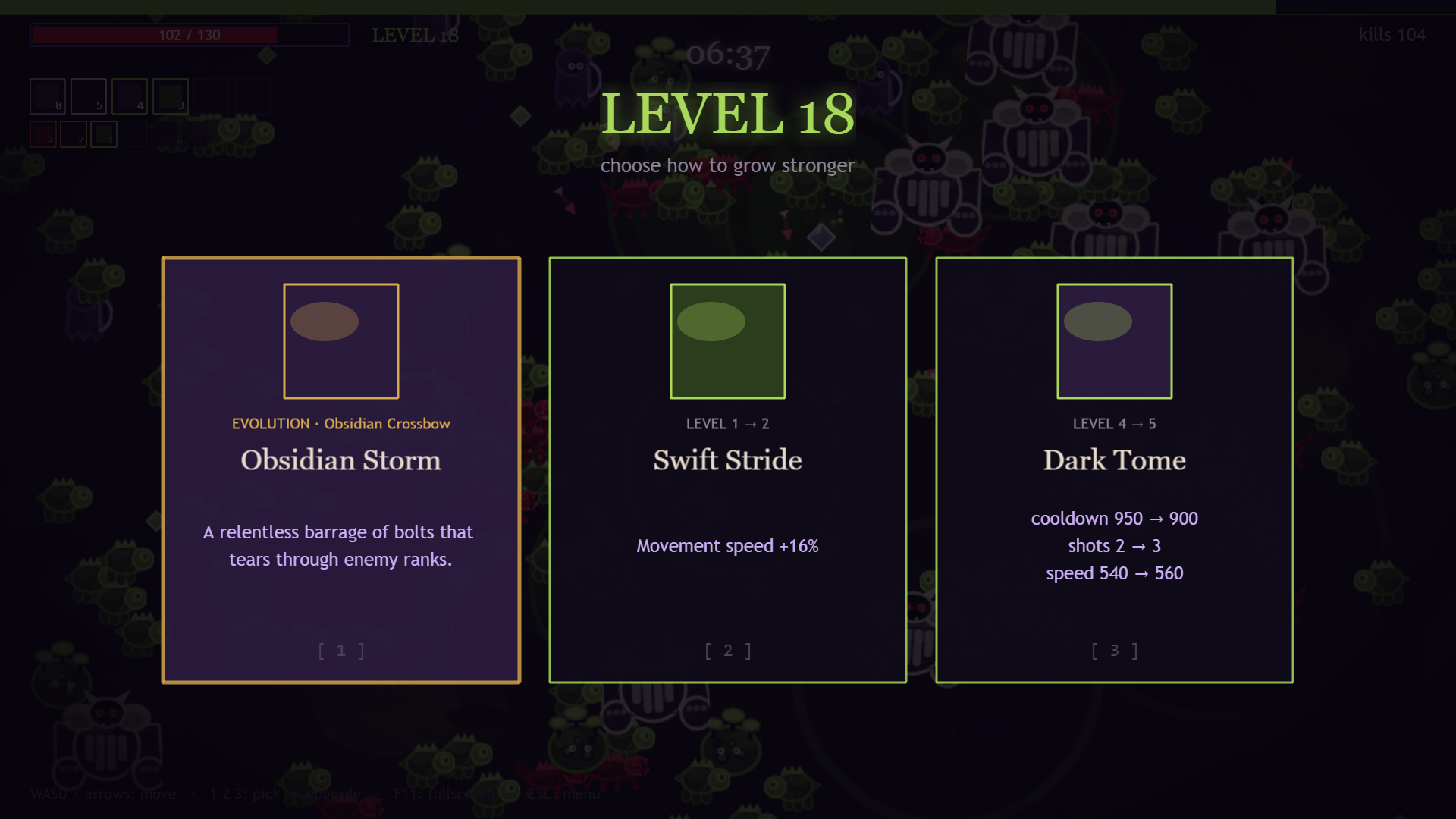
For example, the pictured choice offers Obsidian Crossbow’s evolution, a movement-speed upgrade, or changes to Dark Tome’s cooldown, shots and speed. This illustrates the card types; it is not a guaranteed offer or a tested best build.
Spend Crown Shards between runs
From the main menu, choose Permanent Upgrades. The official upgrade screen shows your shard balance, each upgrade’s effect, its next cost and an Unlock or Upgrade button.
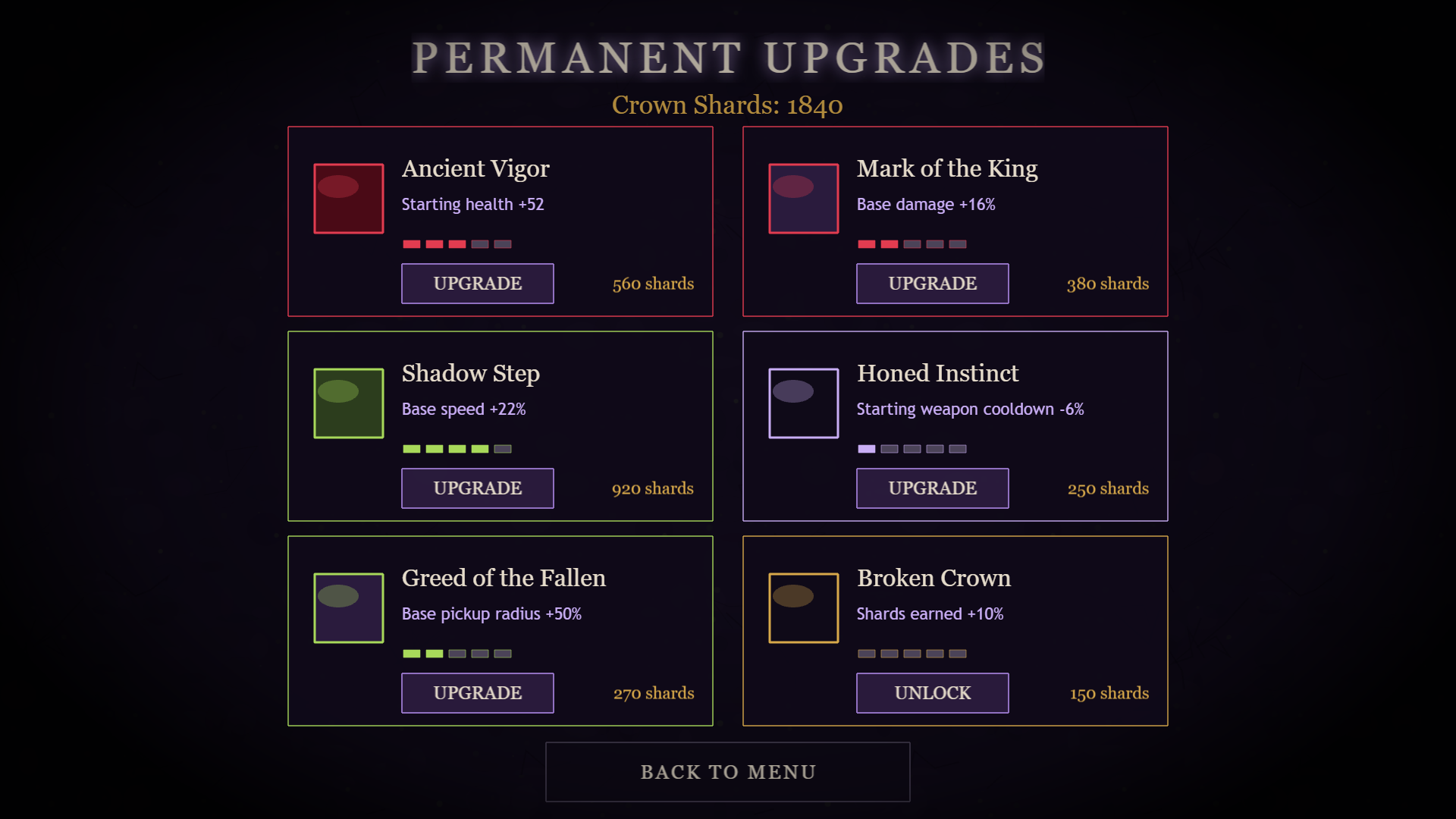
| Upgrade | What it improves |
|---|---|
| Ancient Vigor | Starting health |
| Mark of the King | Base damage |
| Shadow Step | Base movement speed |
| Honed Instinct | Starting weapon cooldown |
| Greed of the Fallen | Base pickup radius |
| Broken Crown | Shards earned |
These permanent improvements are separate from the choices inside a run. Use the cost shown in your game; the developer’s screenshot contains an example account with upgrades already purchased.
Where do shards come from?
The developer describes shards as boss rewards. The named bosses include the Herald of Ash and Ashen Sovereign.
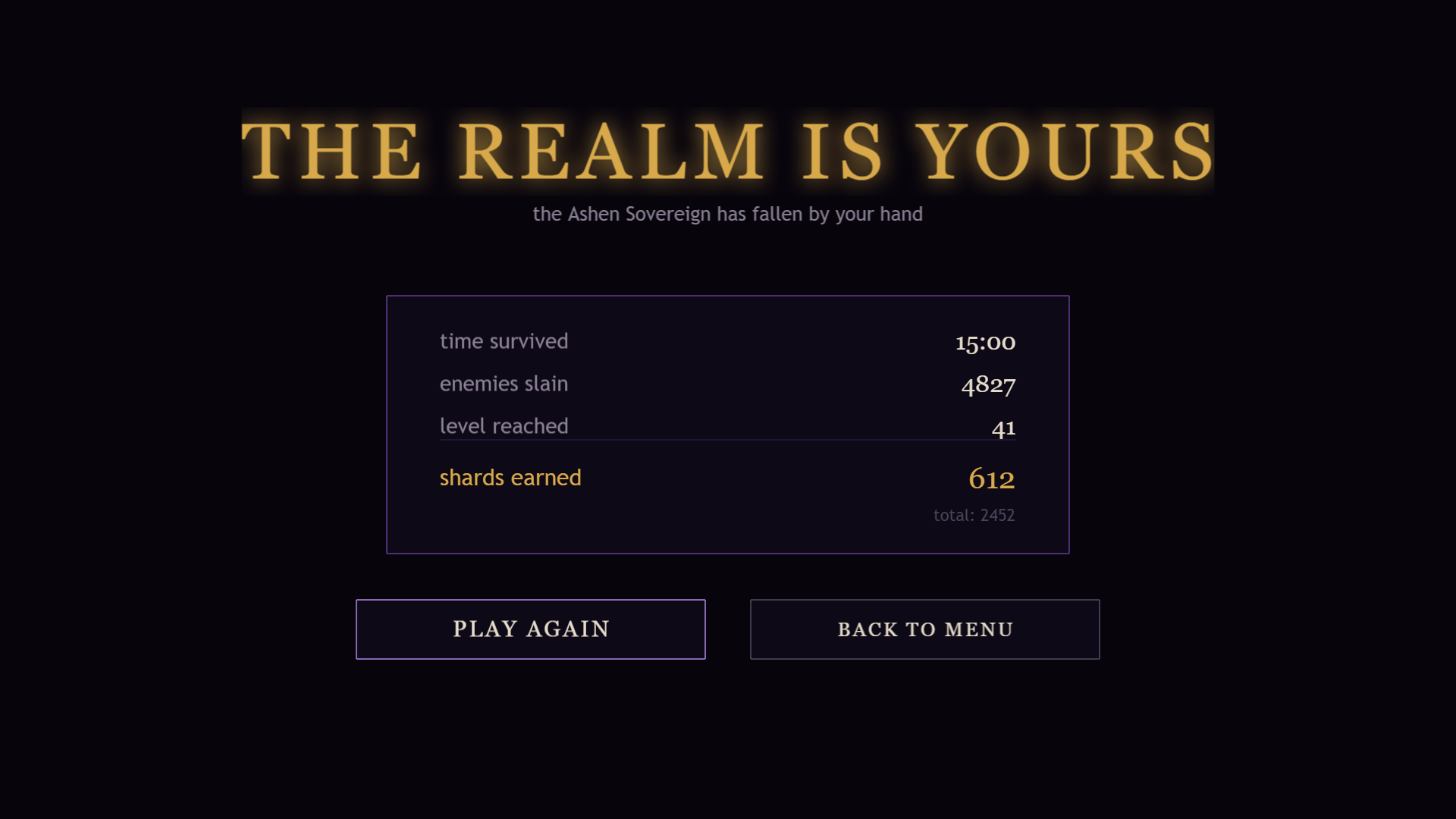
The result screen separates shards earned in that run from your total balance, alongside survival time, enemies slain and level reached. Choose Play Again for another run, or Back to Menu to visit Permanent Upgrades.
Does Reset All Progress only restart a run?
No. Settings → Reset All Progress displays a warning that shards and permanent upgrades will be lost. Use Play Again on the result screen when you want another run, rather than erasing progression.
Open the game page and select Play to reach the browser version. This reference uses official screenshots and published build labels; purchases, farming routes and a complete playthrough have not been tested here.
Frequently asked questions
Where are the Swarm Reign controls listed?
In the controls table below, compiled from the official and reference sources cited at the bottom of this page.
Is this Swarm Reign guide playtested?
No. This guide is source-checked from official and community sources, not playtested by GameTio.
Sources & verification Checked Oct 5, 2026
- Swarm Reign and the current published browser build Official source
Controls, menu labels and reset warning read in the developer's delivered build. No hands-on playthrough or upgrade purchase was tested.
- Developer’s launch notes Official source
- Developer's permanent-upgrade screenshot Official source
- Developer's level-up screenshot Official source
- Developer's result-screen screenshot Official source